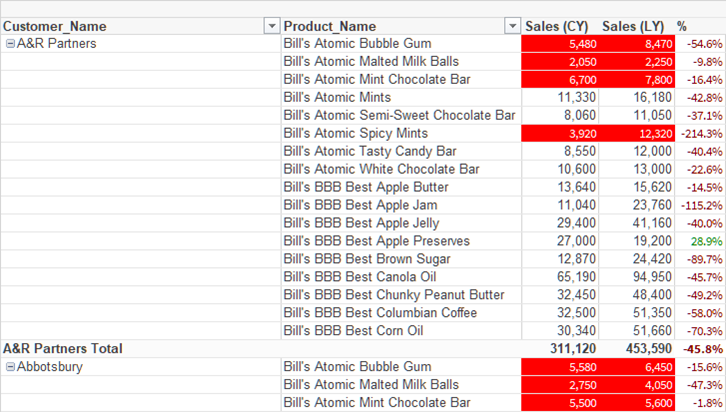
KPImailer turns Qlik Sense pivot tables into native Excel PivotTables. It rebuilds each PivotTable from the Qlik object on every run, so it follows Qlik: the same rows and columns in the same order, the same number formats and the same cell colours, with + and - buttons on every level.
In attachments and templates
- Excel attachments. A formatted Excel attachment delivers each Qlik pivot as a PivotTable, with the Qlik title, subtitle and footnote. No template to design.
- Excel templates. In desktop Excel, insert a Qlik pivot with the KPImailer add-in and keep building around it.
Totals you can trust
Before you insert a pivot, KPImailer shows whether Excel will match Qlik’s totals for each measure. When Excel cannot reproduce something exactly, such as hidden totals, a short note in the file and in the run history says so.
Large pivots and selections
A pivot too large to build in full is built at the levels that fit, without overloading Qlik. Pivots that only show data once something is selected, such as a single part number, can be set up too.
Your own PivotTables still work
Prefer your own summary over data from Qlik? Build your own PivotTables and formulas in a template. They recalculate on every run.