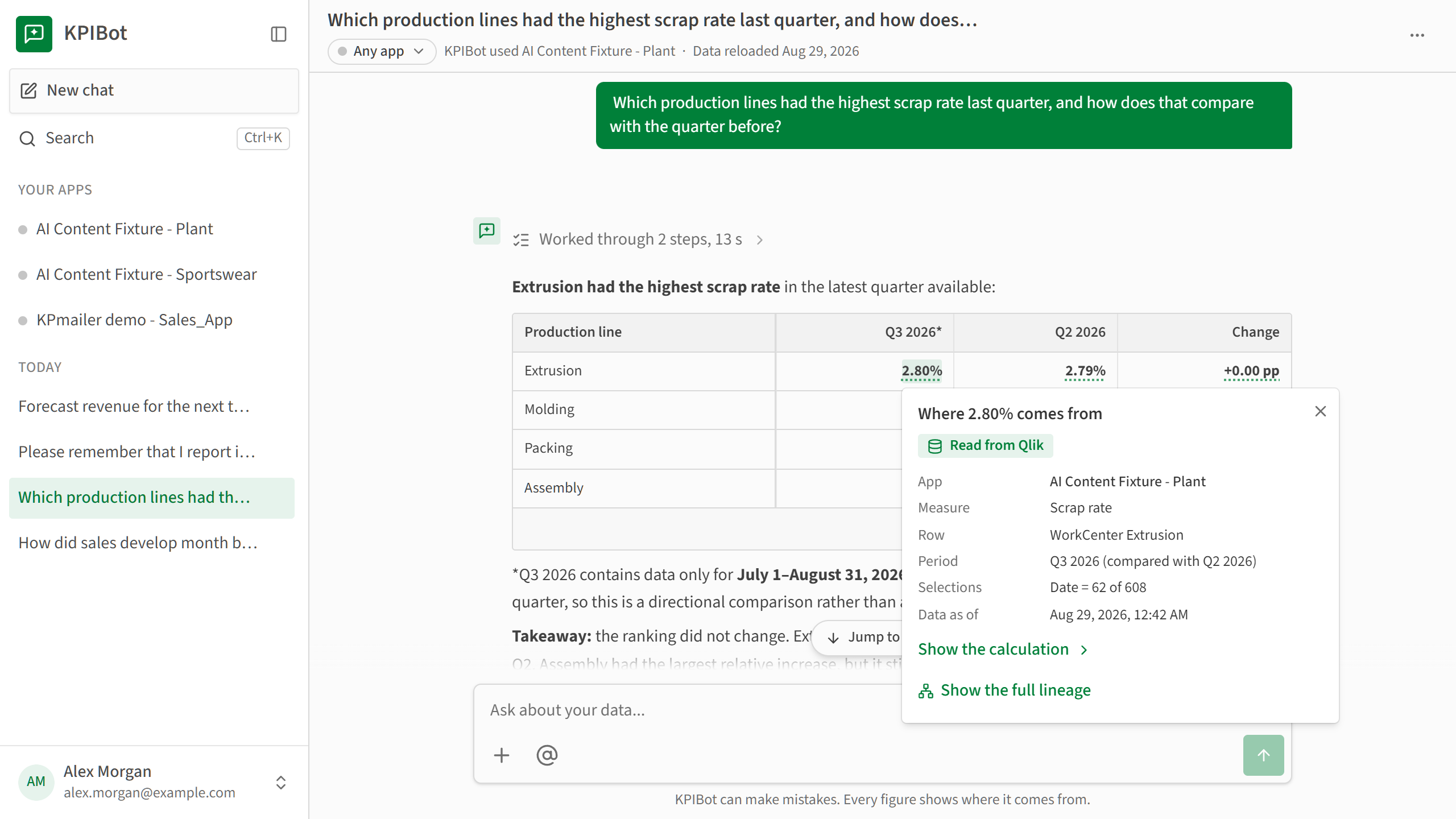
KPIBot is KPImailer’s AI analyst for Qlik Sense. Ask a question about your data in plain words, and KPIBot finds the right app, reads the measures and fields it needs, works out periods such as last quarter or the financial year to date, and answers with text, tables and charts.
Every figure shows where it comes from
Point at a figure in an answer to see the app, measure, period and selections it was read from, or how it was calculated. Each answer lists its sources and the scope it covered, so you can check a number before you act on it.
What you can ask
- Trends and comparisons. Month by month, against last year, against plan.
- Rankings and breakdowns. The best or worst few of each group, with everything else together on one row.
- Figures your apps have no measure for. A price weighted by units sold, or how many stores passed a threshold. KPIBot works out its own calculation and says which figures are its own.
- Questions across apps. KPIBot first checks whether the apps belong to the same business, then compares them side by side, or says plainly that they are unrelated.
- Forecasts and what-if scenarios, with a range.
Answers can include charts and tables that download as CSV, as Excel with a chart, or as a picture. You can also attach CSV, Excel, PDF files or images to a question.
From answer to scheduled report
Turn an answer into a report draft built from what the answer read, confirm it, and add a schedule. KPIBot never changes anything without your approval.
AI inside your reports
An AI Content cell answers a business question at run time from the app’s own data, with a footer that states what was read and where each figure comes from. Start from a template or write your own question.
Your model, your rules
- Bring your own model. Connect your Azure AI Foundry resource or Anthropic account.
- A monthly budget. See the tokens used each month and set a budget with a warning level. At the budget, AI pauses until the next month while every other report runs as usual.
- App by app. Switch AI on per app, with a profile you can review: the time axis, the financial year and the fields kept away from AI.
- Knowledge you control. Administrators write instructions for every app, such as currency, rounding and company terms, and review what users taught KPIBot.
- Access you control. The KPIBot user role signs people straight into KPIBot, limited to the apps you choose.
KPIBot and the AI features are available on request. Talk to us to enable them.